A minimalist notepad for DevOps teams — monitor, triage and report on infrastructure without the console sprawl.
- Role
- Product Designer
- Tools
- Figma, Microsoft Teams
- Tags
- UI/UXWebappDashboardDeveloper Tools
Understanding the Product
Overview
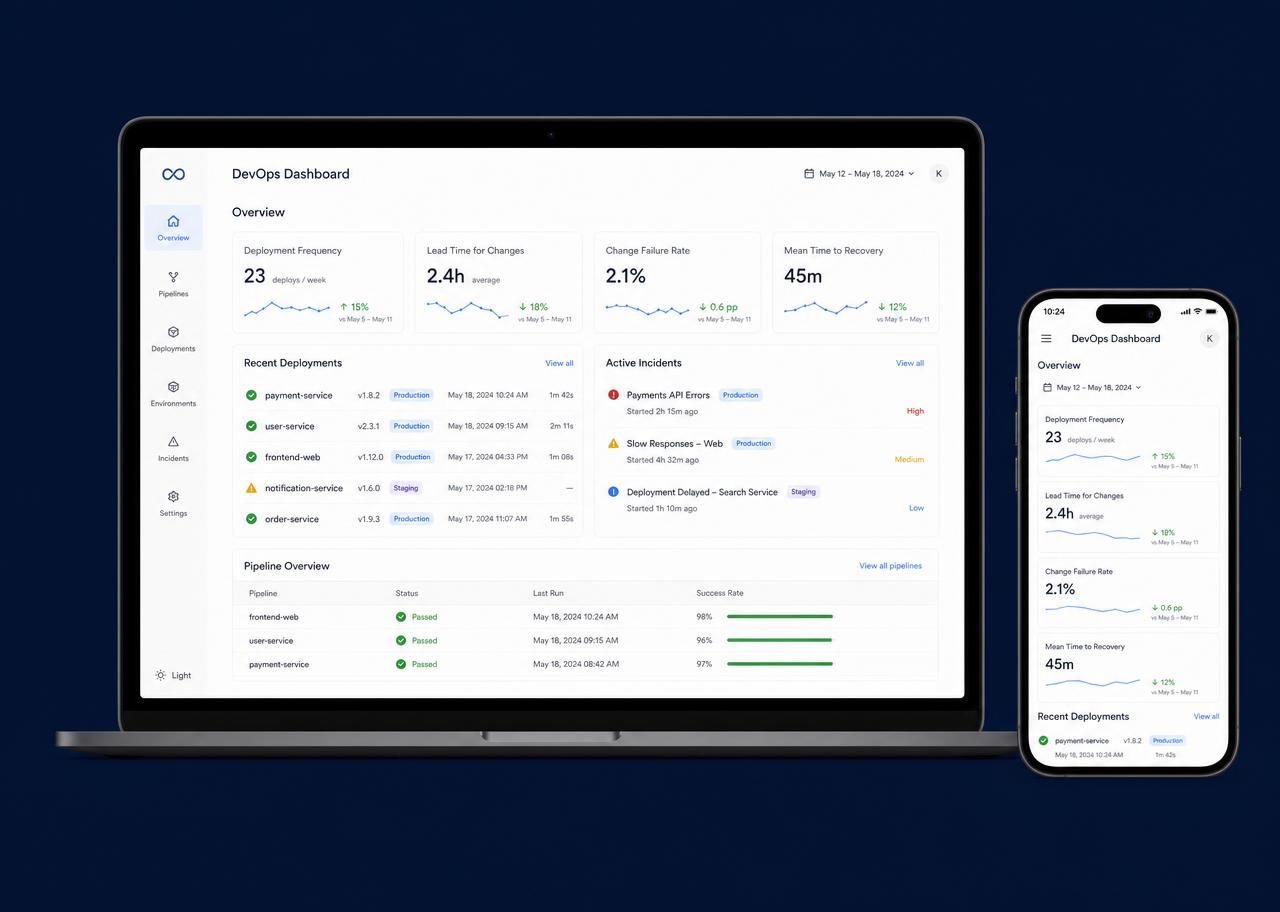
OpsPad is a monitoring and operations workspace for small platform teams. It treats an engineer's dashboard like a notepad: only what needs attention, in the order it needs attention, with the noise of a traditional monitoring console stripped away.
The product spans a web dashboard for day-to-day operations and a companion mobile app for on-call engineers who need to acknowledge and triage away from a desk.
- Monitoring
- Alerting
- Deploys
- Incidents
- Reporting
- On-call
Challenge
Teams monitoring infrastructure are rarely short of data — they are short of a single place where that data becomes a decision. Alerts arrive in chat, metrics live in one console, deploy history in another, and the person on call has to assemble the story themselves while the clock runs.
Research
Discovering user insights by asking the right questions.
Fragmented tooling
Signal over volume
What teams want most from a monitoring tool
- Monitoring & alerts — 45%
- Deploy tracking — 30%
- Reporting — 25%
User Personas
Two profiles carried the design decisions from research through to the flows.
Daniel Adeyemi
DevOps Engineer, 32
Mid-size SaaS · Lagos
Goals
- — See what is broken within seconds of an alert
- — Track deploys and rollbacks in one timeline
- — Hand off context cleanly at end of shift
Frustrations
- — Too many dashboards, none of them authoritative
- — Alert noise buries the incident that matters
Maryam Okafor
Engineering Manager, 38
Platform team of nine · Remote
Goals
- — Weekly view of uptime and incident load
- — Know which services are consuming the team
- — Report status without chasing engineers
Frustrations
- — Has to ask for numbers that already exist
- — Existing tools are built for operators, not leads
User Flow
The Web Dashboard
The Mobile App
Design System
Logo
OpsPad
A notepad bound at the top — the product's whole promise in one mark. Used lockup-left in the app header; the mark alone below 32px.
Typography
Aa
Display · headings and numerals
- Heading 1
- 32 / 40 · Bold
- Heading 2
- 24 / 32 · SemiBold
- Body
- 15 / 24 · Regular
- Caption
- 12 / 18 · Medium
Color Scale
Primary blue
#E8EFFE
#D3E1FE
#9EBEF7
#4A79F2
#1B48C4
#122A66
Neutral
#F7F8FA
#E7E9EE
#C6CAD3
#8A90A0
#4C5262
#1B1F2A
Success
#E7F6EE
#BDE7CE
#7FD0A5
#3FB577
#248F58
#14603A
Warning
#FBF2E1
#F3E0B4
#E6C377
#D4A340
#A87C25
#6C4E13
Critical
#FBE9E9
#F4C4C4
#E88E8E
#D65454
#AE3232
#6E1C1C
Others
Buttons
Form fields
Icon set
Data table